AI Coding Live News

Vercel Labs launches agent-desktop: computer use for any coding agent via OS accessibility trees, not pixels, on macOS, Windows and Linux

On October 31, Chris Tate of Vercel Labs, creator of agent-browser, announced agent-desktop on X as "agent-browser, for your whole computer". It is an Apache-2.0 Rust CLI and C library that reads a desktop app's OS accessibility tree and returns every actionable element as a JSON ref; the agent clicks or types on a ref and snapshots again to verify, with no pixel matching, headless by default. Version 1.0.0 shipped on October 27 and added Linux support; the current npm release is 1.0.2.

Vercel Labs launches agent-desktop: computer use for any coding agent via OS accessibility trees, not pixels, on macOS, Windows and Linux

Key Takeaways

  • Install: npm install -g agent-desktop, one package with native x64/ARM64 binaries; 1.0.0 (Oct 27) added Linux (glibc 2.35+, via AT-SPI), and the latest npm release is 1.0.2 (Oct 30)
  • Loop: snapshot prints a JSON tree with refs, click @<snapshot_id>:eN acts, then snapshot again to verify; a changed UI returns STALE_REF, and errors say whether a retry is safe
  • Scope: the README lists 60 command names, 56 of them operational, spanning windows, keyboard and mouse, notifications, clipboard, waits and session traces
  • Headless by default: ref actions go through accessibility APIs without moving the pointer or stealing focus, with --headed for physical input; Chris Tate says multiple agents can use the computer in parallel, each with its own cursor
  • Benchmarks: no official success-rate or speed numbers; it is a tool with no model inside, and web pages stay with agent-browser
Read full story

Cursor launches Computer Use: agents can control your computer and drive desktop apps like the iOS Simulator to test what they build

On 2026-10-23 (15:59 UTC) the official Cursor account @cursor_ai announced "Cursor can now control your computer": agents can drive desktop apps such as the iOS Simulator to test the features they build. A follow-up post says Computer Use lets agents click and type across any app on your computer, not just the browser. Cursor turns it on by itself when a task needs it, and you can also request it by @-mentioning Computer Use in your prompt; updating Cursor is enough to try it. A community changelog in September mentioned Computer Use on Mac in version 3.20.21, and this is the official launch. Supported platforms, the permission model and benchmarks were not published.

Cursor launches Computer Use: agents can control your computer and drive desktop apps like the iOS Simulator to test what they build

Key Takeaways

  • Cursor officially says its agents can now control your computer and drive desktop apps like the iOS Simulator to test the features they build
  • Computer Use lets agents click and type across any app, not just the browser
  • Cursor uses it automatically when a task needs it, and you can request it by @-mentioning Computer Use in a prompt
  • Update Cursor to try it; supported platforms, the permission model and benchmarks were not published
Read full story

Perplexity Computer Launches Natively on macOS: Full On-Device Model and Agent Execution Without Cloud Roundtrips

Perplexity officially unveiled that Perplexity Computer now operates 100% locally on macOS through the native desktop application. Breaking away from cloud-dependent computer-use paradigms that ship continuous video feeds across the internet, Perplexity Computer executes both the underlying inference model and the agent orchestration runtime directly on local Mac silicon. By interfacing natively with macOS Accessibility APIs, the system eliminates network latency, guarantees complete screen privacy, and empowers autonomous desktop copilots to orchestrate multi-application workflows entirely offline.

Perplexity Computer Launches Natively on macOS: Full On-Device Model and Agent Execution Without Cloud Roundtrips

Key Takeaways

  • Perplexity launched Perplexity Computer inside the native macOS app, hosting both model inference and agent loops locally
  • Eliminates privacy vulnerabilities of cloud-based GUI agents by keeping all screen frames and keystrokes strictly on-device
  • Achieves near-instantaneous interaction latency leveraging Apple Silicon unified memory and the Neural Engine
  • Seamlessly interfaces with native macOS Accessibility APIs and app sandboxes for cross-application workflow automation
Read full story

OpenAI rolls out ChatGPT Slides: real-time collaborative decks in Space, exportable to PowerPoint, PDF and Google Slides

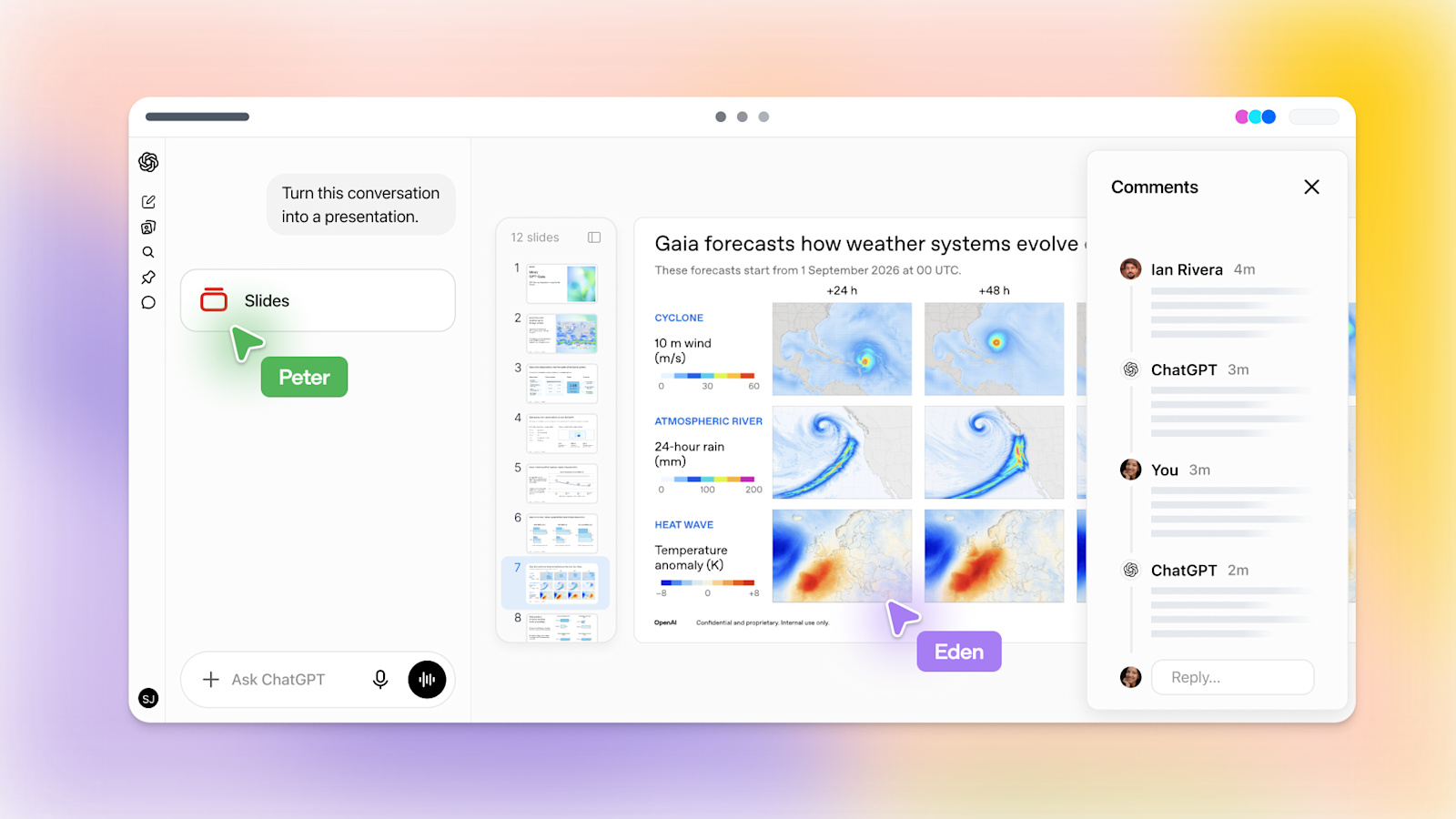
Starting Oct 16, OpenAI is rolling out ChatGPT Slides on web and desktop to Pro, Business and Enterprise users with Space access. Ask ChatGPT in Work to turn a conversation, files or an outline into an editable deck, or share an example deck to set the style; teammates co-edit in real time, leave shared comments and @mention ChatGPT for edits. The web app exports to PowerPoint, PDF and Google Slides, and the desktop app can open decks in PowerPoint or Keynote.

OpenAI rolls out ChatGPT Slides: real-time collaborative decks in Space, exportable to PowerPoint, PDF and Google Slides

Key Takeaways

  • Rolling out from Oct 16 to 3 plans (Pro, Business, Enterprise) with Space access; Plus and Free are not in this wave
  • 3 web export targets: PowerPoint (.pptx), PDF and Google Slides; desktop opens decks in PowerPoint or Keynote
  • Share an example deck to guide layout, build templates with template-creator and share them via team Plugins
  • Real-time co-editing and shared comments; @mention ChatGPT or your dot to have the agent edit. Help Center says comment-only access is not available at launch
  • On Windows without the MXC component (unsupported on Windows 10) local desktop editing falls back to .pptx files; no official quality benchmarks
Read full story
ADSponsored

Claude Code desktop reworks multi-session flow: saved environments, nested parallel sessions, /btw side tabs and a needs-you sidebar

On 2026-10-14 (UTC) ClaudeDevs announced a Claude Code desktop update built for running many sessions side by side: a new-session screen with recent folders, saved environments (several folders, an SSH host or the cloud) with an optional worktree per folder, nested sessions for parallel tasks that report only results back to the main thread, one-click follow-up sessions, /btw side questions in their own tab, and a sidebar that separates working sessions from ones that need you, plus a live to-do list, recap cards and a side rail showing where a session runs, its context and its changes. Update the desktop app to get it; Anthropic published no performance numbers.

Claude Code desktop reworks multi-session flow: saved environments, nested parallel sessions, /btw side tabs and a needs-you sidebar

Key Takeaways

  • 6-post official thread; the lead post had about 15.8K likes and 1.31M impressions at fetch time
  • Parallel work: each task Claude runs in parallel becomes a nested session that reports only its result back, keeping the main thread readable
  • Saved environments: folders, an SSH host or the cloud, with an optional Git worktree per folder (default <project-root>/.claude/worktrees/)
  • Attention: sidebar splits working vs needs-you sessions; live to-do, recap card on hand-off; /btw (or Cmd+;) side questions stay out of the main history
  • No benchmarks published; users already ask to un-nest forked sessions in the sidebar (GitHub issue #100216)
Read full story

GPT-5.5 retires from ChatGPT, ChatGPT Work and Codex today: ChatGPT sign-in users must move to gpt-6-sol or gpt-6-luna, the API is unaffected

Per OpenAI's model docs, GPT-5.5 retires from ChatGPT, ChatGPT Work and Codex on all plans on 2026-10-14; the OpenAI API is not affected. Codex users on ChatGPT sign-in should pick gpt-6-sol (Plus, Pro, Business, Enterprise, Edu) or gpt-6-luna in the desktop app (Free, Go), with gpt-6.1-sol recommended for complex coding. Any config.toml, custom agent, scheduled task or script pinned to gpt-5.5 needs updating now.

Key Takeaways

  • Effective 2026-10-14: GPT-5.5 leaves ChatGPT, ChatGPT Work and Codex on every plan; the OpenAI API is unaffected
  • Replacements: gpt-6-sol for Plus/Pro/Business/Enterprise/Edu, gpt-6-luna in the desktop app for Free/Go (both 'when available')
  • For complex coding OpenAI recommends gpt-6.1-sol, near-Astra at 1/5 of Astra's standard price per OpenAI
  • Check 4 places: model in config.toml, codex exec -m, custom agents, scheduled tasks and scripts
  • Enterprise/Edu admins must enable newer models first; GPT-5.6 Sol/Terra/Luna remain available during the rollout
Read full story

OpenCode 2.0 ships: one background service for TUI, web and desktop, Code Mode for all MCP servers, background subagents, and @opencode/sdk

Anomaly published the OpenCode 2.0 launch note on Oct 12: a single auto-started local service shared by the TUI, web and desktop apps; a rewritten server API with the new @opencode/client; @opencode/codemode, which turns MCP servers and OpenAPI endpoints into functions the model composes in scripts (all MCP servers opt into Code Mode by default); background subagents and background shell commands; 80+ internal features rebuilt as hot-reloadable plugins; and @opencode/sdk for embedding the same engine as a library. V1 plugins and the old server API are not compatible.

OpenCode 2.0 ships: one background service for TUI, web and desktop, Code Mode for all MCP servers, background subagents, and @opencode/sdk

Key Takeaways

  • Architecture: one auto-started local background service shared by TUI, web, desktop and @opencode/client scripts; opencode pair connects other hosts
  • Code Mode: @opencode/codemode converts MCP servers and OpenAPI endpoints into script-callable functions; every MCP server defaults to Code Mode (codemode: false opts out)
  • Orchestration: background subagents (background: true, default nesting depth 1) and background shell commands with no default timeout; Ctrl+B moves running work to the background
  • Extensibility: 80+ features implemented as internal plugins, TUI plugins now stable and hot-reloadable; @opencode/sdk is the same code as the CLI
  • Migration: three breaking areas (plugin API, server API/clients, tui.json to global cli.json); upgrade with opencode upgrade --major
Read full story
Linked Models & Agents:

Codex composer predictions enter beta: Codex suggests your next message, Tab to accept, free of usage for Pro

On Oct 9 OpenAI opened composer predictions in beta in the Codex desktop app for personal ChatGPT Pro users. After each response Codex may prefill your next message from the current thread; press Tab to accept and edit before sending. Local and SSH threads only, with GPT-6 Astra and GPT-6.1 Sol; generating predictions does not count toward usage limits during the beta.

Codex composer predictions enter beta: Codex suggests your next message, Tab to accept, free of usage for Pro

Key Takeaways

  • Personal ChatGPT Pro (18+), Codex desktop app, local and SSH threads only
  • Supported models: GPT-6 Astra and GPT-6.1 Sol
  • Predictions are free during beta; sent messages bill normally
  • Tab accepts without sending; disable via Settings → General → Composer → Show predictions
  • Announcement post: ~3,250 likes and ~230K views within hours
Read full story

Codex on Windows gets a Microsoft Execution Containers (MXC) sandbox: no admin setup, no extra accounts or firewall rules, native network policy and granular file access

On Oct 9 OpenAI Developers announced a new Codex sandbox mode on Windows built on Microsoft Execution Containers (MXC), promising faster setup, stronger network enforcement and granular file access controls on compatible Windows 11 devices. Docs now list MXC as the recommended implementation, with elevated/unelevated as legacy fallbacks. It ships in Codex CLI 0.162.0, where features.prefer_mxc is off by default in the standalone CLI; the desktop app enables it via rollout.

Codex on Windows gets a Microsoft Execution Containers (MXC) sandbox: no admin setup, no extra accounts or firewall rules, native network policy and granular file access

Key Takeaways

  • Windows sandbox implementations go from 2 to 3: mxc (recommended) / elevated (preferred fallback) / unelevated (weaker network isolation)
  • MXC needs zero admin elevation, zero extra Windows accounts, zero local firewall rules; commands run as the user with per-command policy
  • Minimum Codex CLI 0.162.0; features.prefer_mxc is off by default in the standalone CLI
  • Enterprises can block MXC with windows.allow_mxc = false in requirements.toml
  • Official post: 650+ likes, 51.8K impressions within ~1.5 hours
Read full story

DeepSeek Harness v0.2.1: desktop apps plus experimental Claude Code Mods compatibility

GitHub dsh-v0.2.1-alpha.1 (2026-10-03T06:42:19Z) adds an experimental Claude Code Mods compatibility layer to MIT DeepSeek Harness (~243k stars)—explicitly to test that Mods APIs are broadly a subset of dsh plugins, not full compatibility—continuing v0.2 desktop apps. Get it at deepseek.com/harness or npx @deepseek-ai/dsh web.

Key Takeaways

  • Sources: dsh-v0.2.1-alpha.1 (2026-10-03), deepseek-ai/deepseek-harness (~243k★), deepseek.com/harness
  • Experimental Claude Code Mods layer = subset validation, not full compatibility
  • v0.2 desktop: macOS Apple silicon + Windows x64 with bundled dsh command
  • Everything-is-a-plugin on Cordis; OpenAI-compatible providers supported
  • Developer preview with breaking changes—sandbox before production
Read full story
ADSponsored

GitHub Copilot Computer Use enters public preview in CLI and Copilot app (macOS/Windows)

On 2026-10-01 GitHub announced Computer Use in public preview for Copilot CLI and the Copilot app on macOS and Windows: agents can drive local desktop apps via accessibility tree/screenshots, clicks, typing, scroll/drag, and cross-app workflows—targeting GUI-only legacy software. Off by default; enable with /computer on or Settings; enterprise policy can block it.

GitHub Copilot Computer Use enters public preview in CLI and Copilot app (macOS/Windows)

Key Takeaways

Read full story

Claude Code 2.1.285: `claude --desktop`; plugin configure & MCP install-time config; allowedProviders lock-down

Anthropic Claude Code shipped v2.1.285 on 2026-09-29 (npm @anthropic-ai/[email protected]): claude --desktop opens the desktop app on the current directory or a resumed session; claude plugin configure plus --config server.key=value set MCP options at install time; managed allowedProviders limits which API providers a machine may use; CLAUDE_CODE_DISABLE_WEB_FETCH disables WebFetch. ~4 commits / 67 files vs v2.1.284, plus many SSH/sandbox/subagent permission fixes.

Claude Code 2.1.285: `claude --desktop`; plugin configure & MCP install-time config; allowedProviders lock-down

Key Takeaways

  • Release v2.1.285; ~4 commits / 67 files vs v2.1.284
  • claude --desktop opens Claude Desktop on cwd or --continue/--resume
  • plugin configure + install-time --config server.key=value for bundled MCP settings
  • Managed allowedProviders + CLAUDE_CODE_DISABLE_WEB_FETCH
  • Upgrade: npm i -g @anthropic-ai/[email protected]; docs at code.claude.com/docs
Read full story

Official DeepSeek Harness Desktop App Released: Bundles Cordis Plugin Core for Daemon-Free Local Agent Workflows

DeepSeek AI (@deepseek_ai) has officially launched the standalone desktop application for DeepSeek Harness (dsh) across macOS and Windows. Designed to eliminate the engineering overhead of managing CLI background daemons and local sandbox sockets, DeepSeek Harness Desktop integrates the web UI, the Cordis plugin execution engine, and isolated sandboxing into a native local client. It delivers out-of-the-box support for visual trajectory playback, arbitrary session branching, and multi-model sub-agent delegations.

Official DeepSeek Harness Desktop App Released: Bundles Cordis Plugin Core for Daemon-Free Local Agent Workflows

Key Takeaways

  • Eliminates complex multi-process CLI terminal setups by packaging the Cordis agent engine into a standalone GUI.
  • Integrates native visual trajectory playback, inspecting tool execution, file diffs, and chain-of-thought traces in milliseconds.
  • Introduces deterministic session forking, enabling developers to branch and retry failed agent steps without invalidating global context.
  • Supports heterogeneous sub-agent delegation, seamlessly piping sub-tasks to Claude Code, OpenCode, or local Ollama instances.
Read full story

Goose v1.52.0: live voice in desktop plus Opus 5.5, GPT-6-sol and GPT-6-luna

Open-source agent Goose (aaif-goose/goose) shipped v1.52.0 on 2026-09-23 with live voice conversations in the desktop app, a Decisions provider (OpenRouter + Jev), Z.AI Coding Plan streaming tool calls, recipe parameter caps (32 / 200 / 128 KiB), and first-class Opus 5.5, GPT-6-sol, and GPT-6-luna support.

Goose v1.52.0: live voice in desktop plus Opus 5.5, GPT-6-sol and GPT-6-luna

Key Takeaways

Read full story

MarkuprPlus open-sources desktop/CLI/MCP bug capture: window recording plus on-device Whisper to agent Markdown

@DanKornas highlighted MarkuprPlus (github.com/hashfunction/MarkuprPlus), an MIT desktop app, CLI, and MCP that turns window-locked screen recordings plus on-device Whisper narration into structured Markdown (one annotated screenshot per mark) for Claude Code, Cursor, Codex, and Windsurf. Local-first session folders keep reports, screenshots, video, audio, and metadata together.

MarkuprPlus open-sources desktop/CLI/MCP bug capture: window recording plus on-device Whisper to agent Markdown

Key Takeaways

  • Each on-screen mark yields its own annotated screenshot and issue.
  • Narration is transcribed on-device with Whisper.
  • Desktop, CLI, and MCP; MIT; hand off to Claude Code, Cursor, Codex, Windsurf.
Read full story